Featured Project

Cake Idle Clicker

A browser-based idle clicker game with persistent saves, upgrades, prestige, and a leaderboard.

Overview

Problem

I built a complete web game that demonstrates application design, persistence, and testing, while also being fun and engaging to play. The goal was to create an idle clicker with meaningful progression, account-based saves, and production deployment.

Solution

I designed and built a PHP + JavaScript web application with SQLite for persistent player saves. Players can create accounts, bake cakes by clicking, purchase upgrades, reset via prestige for permanent bonuses, view a leaderboard, and generate player reports. The app is containerized with Docker and deployed on Render.


Tech Stack

  • PHP
  • JavaScript
  • SQLite
  • Docker
  • Render
  • HTML/CSS

My Role

I designed the application architecture and class structure, implemented the game logic and UI, created the database schema, wrote functional unit tests, and configured Docker and Render deployment. I also produced the full documentation and user guides.

Application Design

Class Design

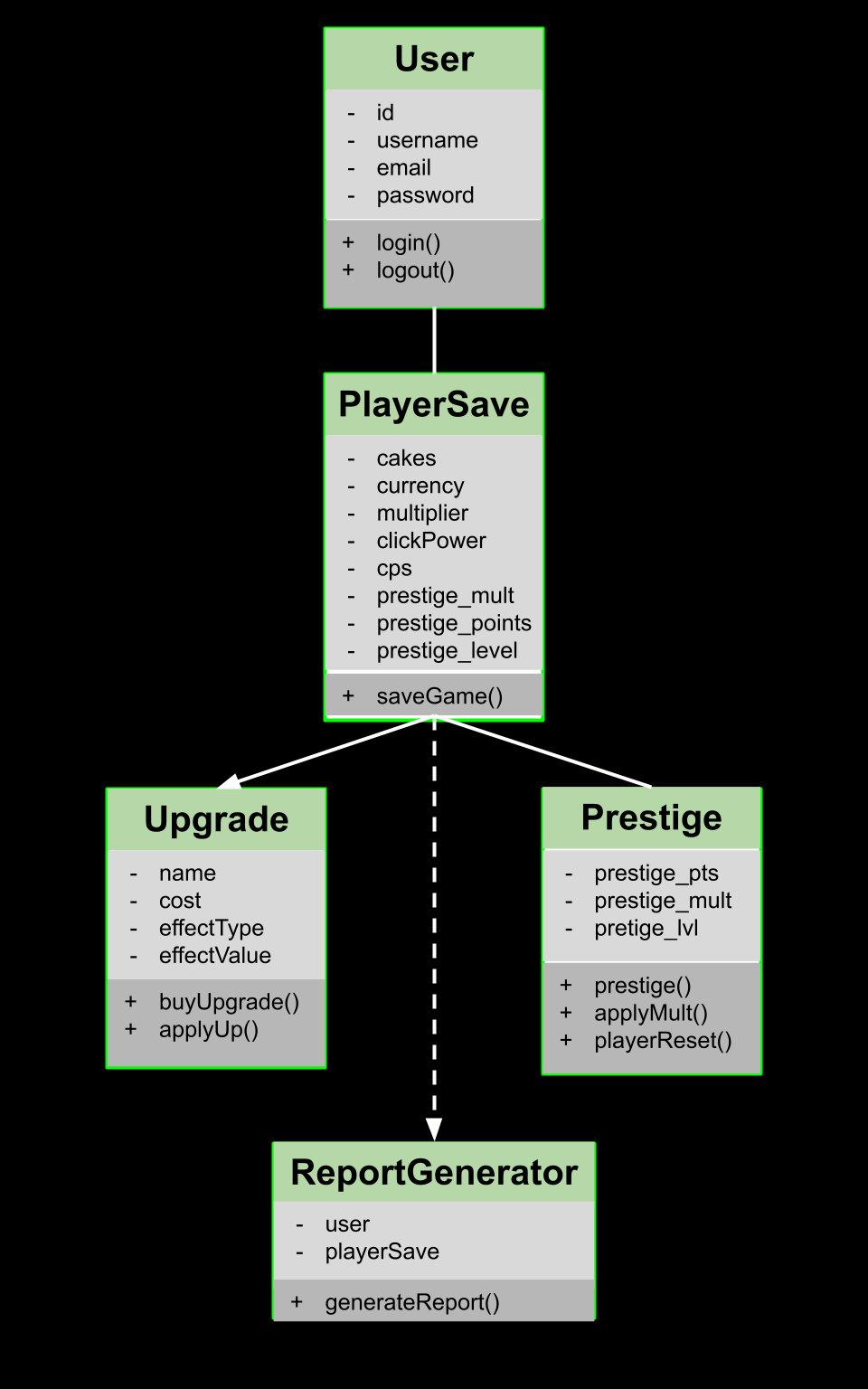
This class diagram demonstrates the structure and relationships of the main components in Cake Idle Clicker, built using JavaScript. Although JavaScript uses prototypes for inheritance, this class diagram still serves as a useful reference for the main structure of the classes.


The application is designed for persistent gameplay through logged-in accounts. The main classes include User, PlayerSave, Upgrade, and Prestige. Users can upgrade for efficiency, save their progress, and reset via prestige to earn permanent rewards. Optionally, players can generate reports based on their saved game data.


Overall, this class diagram presents a clear overview of the Cake Idle Clicker system by showcasing the major classes, responsibilities, and relationships between them, and highlights how the system works together in an easy-to-understand format.

Class diagram for Cake Idle Clicker

Design

Class Diagram

Main classes and relationships: User, PlayerSave, Upgrade, Prestige.

UI Design

Experience Overview

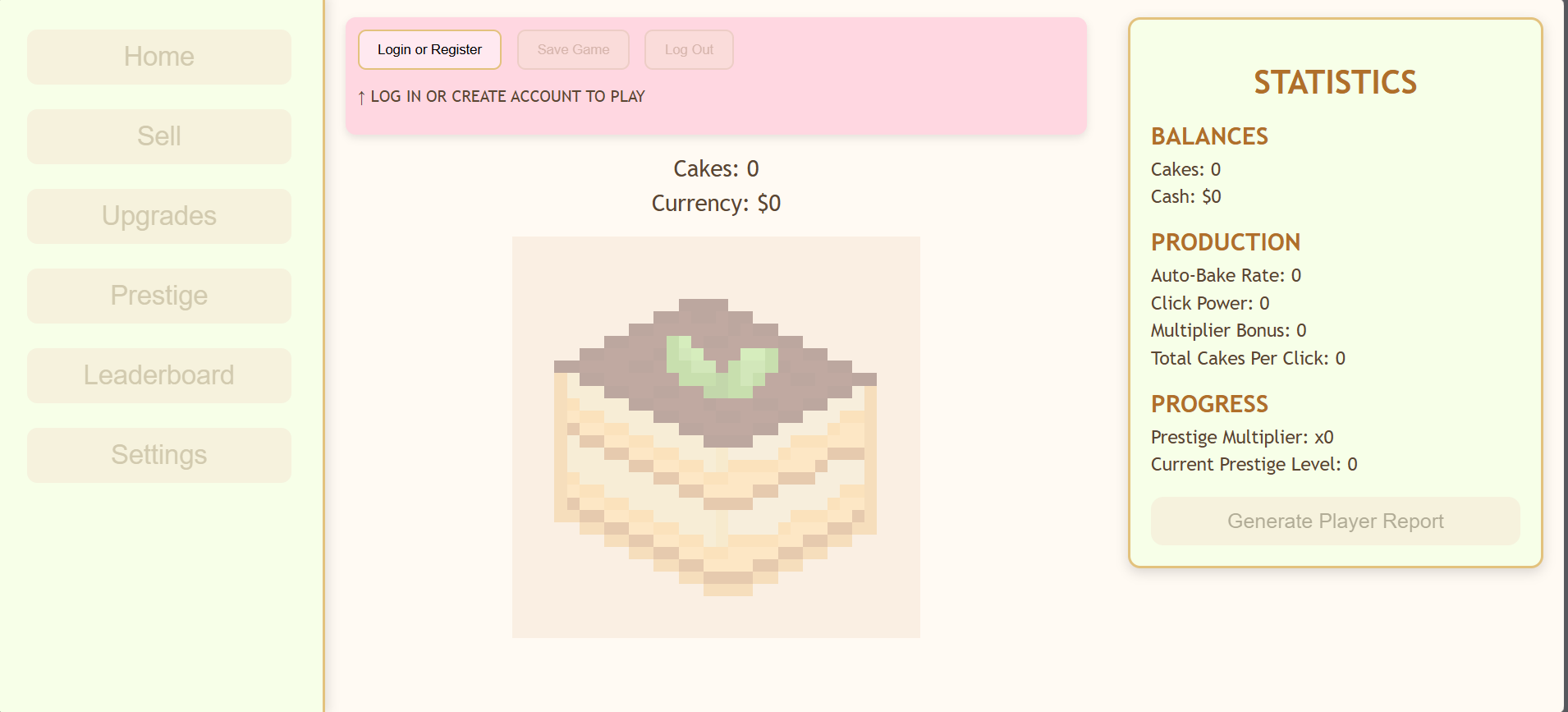
The UI provides a casual, easy-to-use interface that helps players quickly learn the game mechanics. The experience begins on the home page, where users see a preview of the game and a visual cue pointing to the log in or register button, indicating that an account is required before they can play.


After logging in, users are redirected back to the home page, where they can begin a new game or resume their saved progress. The main component focuses on clicking to “bake” cakes, while also giving players access to upgrades and permanent rewards via prestige in a clear and organized layout that supports progression.

Key Features

  • Persistent saves tied to user accounts in SQLite.
  • Account management: register, update details, and delete account and data.
  • Upgrade system with a search bar to quickly locate specific upgrades.
  • Prestige system for resetting progress in exchange for permanent bonuses.
  • Player reports with timestamps and progress insights, page-based and printable.
  • Top‑10 leaderboard that updates as the database becomes populated.

Screenshots

Key views of the application UI.

Index / preview page

Public

Index Page

Preview of the game with login/register prompt.
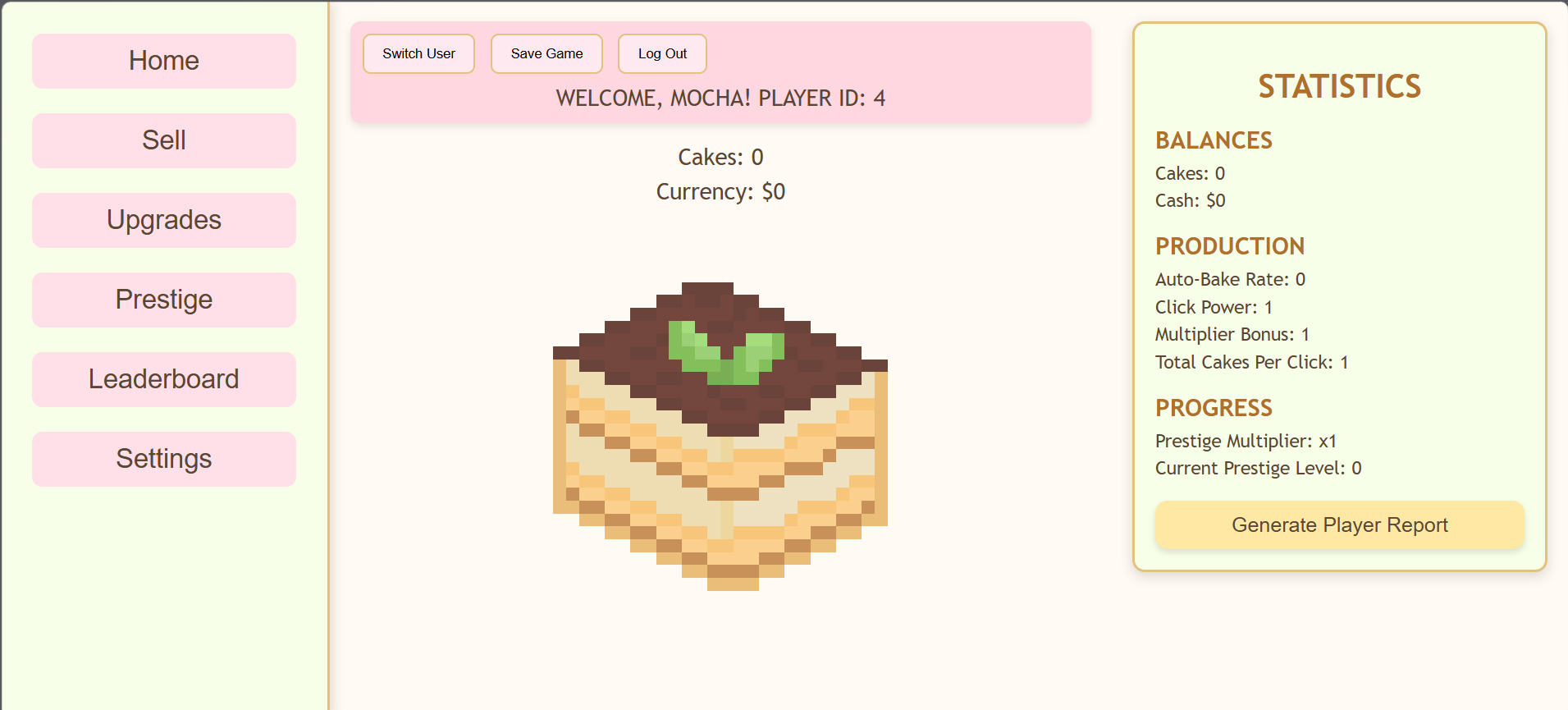
Home page after login

Game

Home Page

Main clicker interface with cake, stats, and navigation.
Sell page

Game

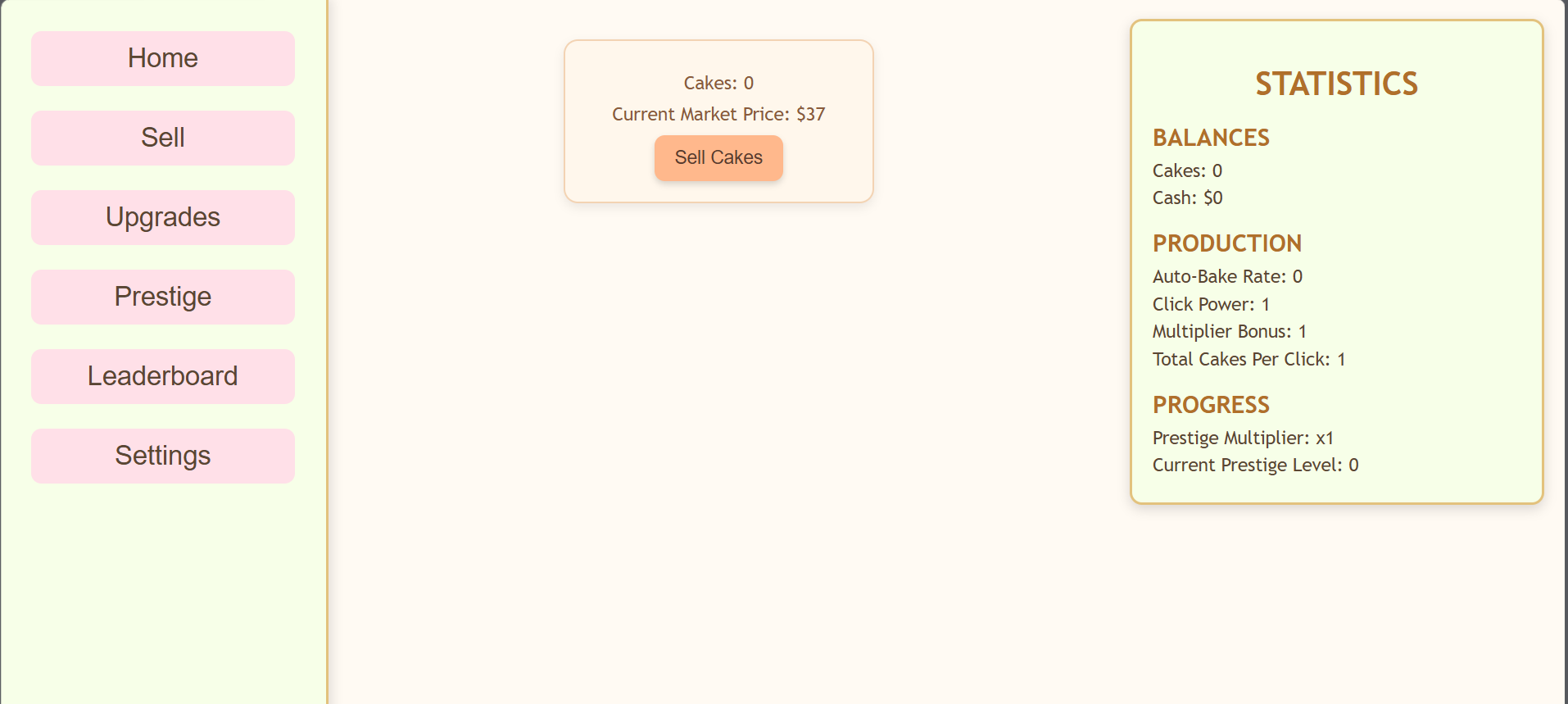
Sell Page

Exchange cakes for currency.

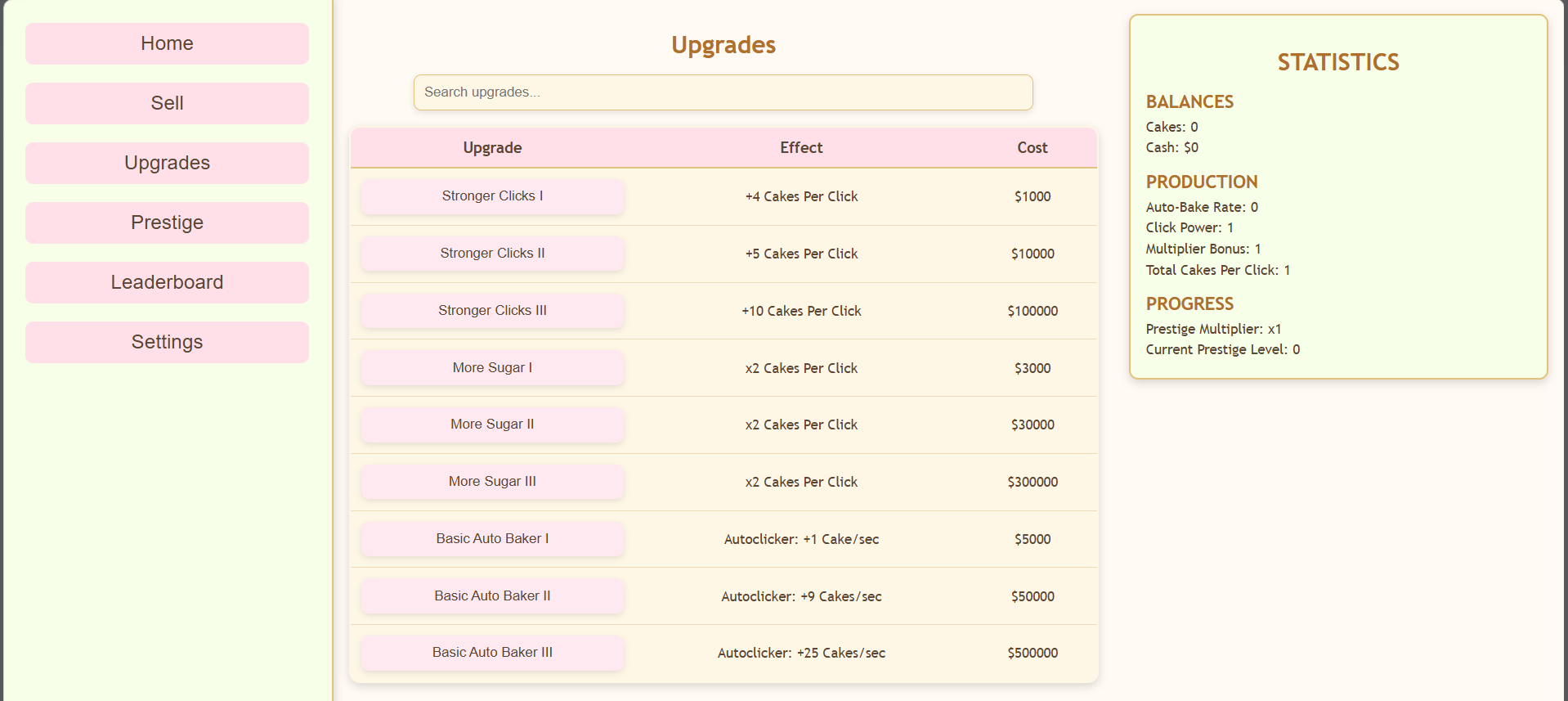
Upgrades page

Game

Upgrades Page

Purchase upgrades with search functionality.
Presitge page

Game

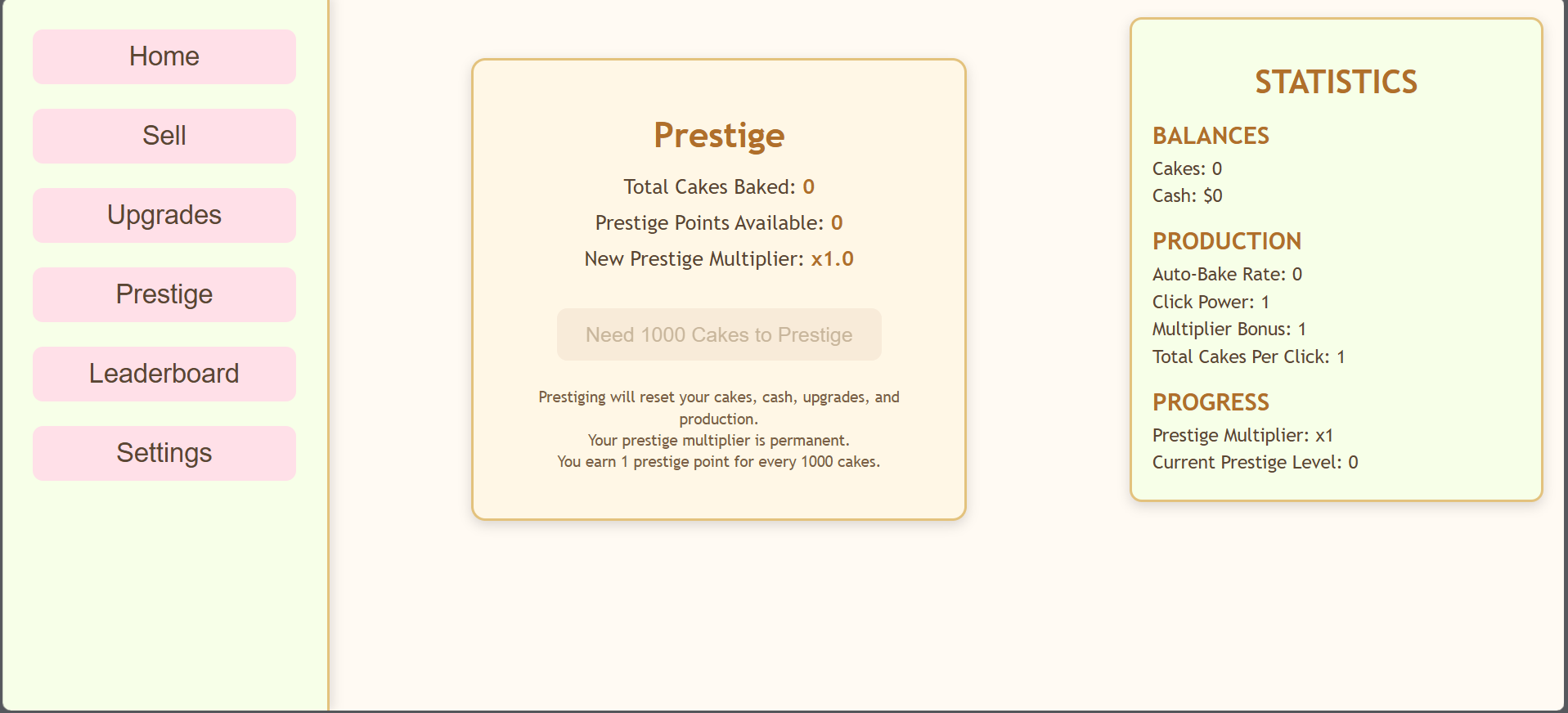
Prestige Page

Prestige system for resetting progress in exchange for permanent bonuses.
Leaderboard page

Game

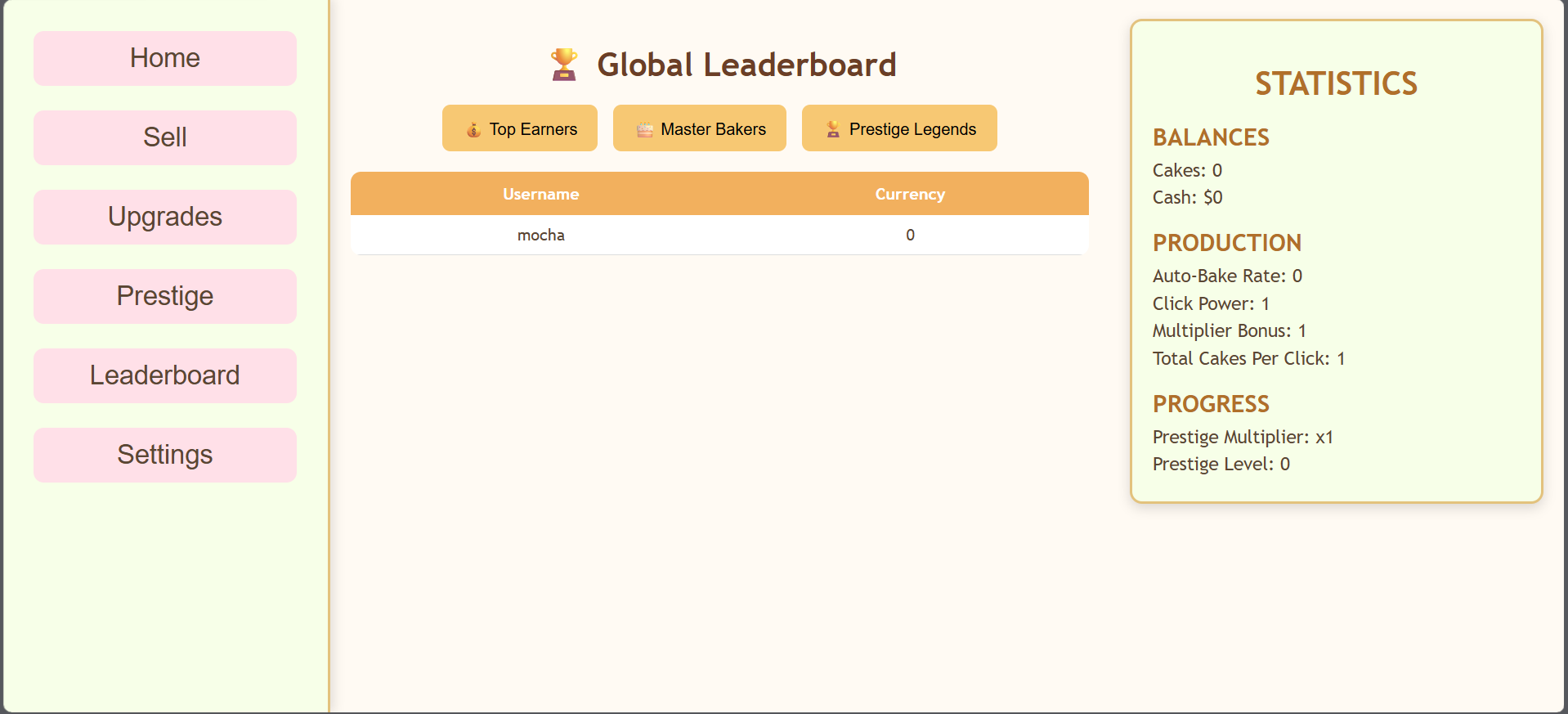
Leaderboard

Top‑10 players across multiple categories.

Unit Test Plan

Introduction

The purpose of the unit test plan is to ensure the correctness and reliability of the Cake Idle Clicker web application. Functional unit testing was used to verify that each component performs its intended task, enabling the identification of component-specific defects before they impact the rest of the application.

Overview

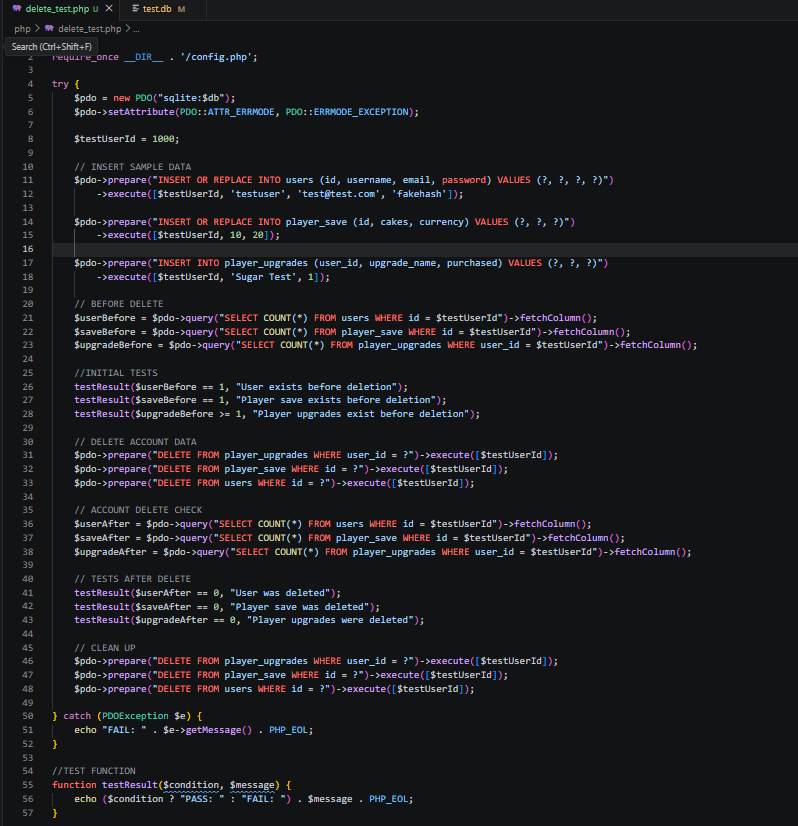
Functional unit testing was used to verify that specific core components and functions behave correctly. The first test focused on inserting data into the database to ensure that all related player data was correctly stored, and then deleting that data along with all associated records. This is important for testing the delete account feature. Another test ensured that the clicker function works by verifying that the cake count increases as expected and that the display is updated accordingly.

  • Insert User Data: Sample data was entered into the database using SQL queries in a PHP test file. The test ensured that all queries executed successfully and that the associated player data was correctly inserted. When errors were encountered, database names were checked, and it was verified that the id values correctly reference the users table.
  • Delete User Data: After inserting sample data and confirming that the insertion queries ran successfully, deleting user data was tested. This test verified that player data and all associated records are removed from the database. When errors occurred, cleanup code was added to ensure that the database was not left in an incorrect state. Additionally, SQL queries and column names were double-checked to prevent data mismatches.
  • Clicker Event: Clicking is a core feature of the game, so this test was essential. The test first confirmed that the click button element exists in the DOM. It then verified that the variable representing the number of cakes increases as expected based on click power, upgrade bonuses, and prestige multipliers. When errors occurred, it was checked that the element ID matched the HTML and that the correct bonuses were applied to `game.sugar`.
  • UI Update: Finally, it was tested that the UI updates properly. The UI must reflect the correct number of cakes after each click. When errors occurred, it was verified that there were no data mismatches and that there were no typos in variable names.

Deliverables

  • Test Scripts: PHP test script (terminal) and JavaScript test script (browser console).
  • Test Results: Logs reporting pass/fail status and associated errors.

Pass/Fail Criteria

  • Insert User Data – Pass: user and associated records inserted successfully. Fail: data mismatches, incorrect paths, or invalid queries.
  • Delete User Data – Pass: user and all associated records deleted. Fail: failed queries, data mismatches, or incorrect paths.
  • Clicker Event – Pass: click listener fires and cake count increases correctly. Fail: DOM mismatch or incorrect cake increment.
  • UI Update – Pass: UI updates with correct cake count on click. Fail: UI does not update or shows incorrect count.

Failure Handling Strategy

When a test failed during the testing process, the following strategies were applied:

  • Identify the root cause: examine error messages and note all failed tests.
  • Fix the problem: review code, database queries, and DOM elements; check for typos and logic errors; apply fixes.
  • Rerun test: run tests again and repeat until all tests pass.

Specifications

Screenshots of the test code used for functional unit testing.
Test code for insert and delete user data

Testing

Insert & Delete Tests

PHP test script validating database insert and delete operations.
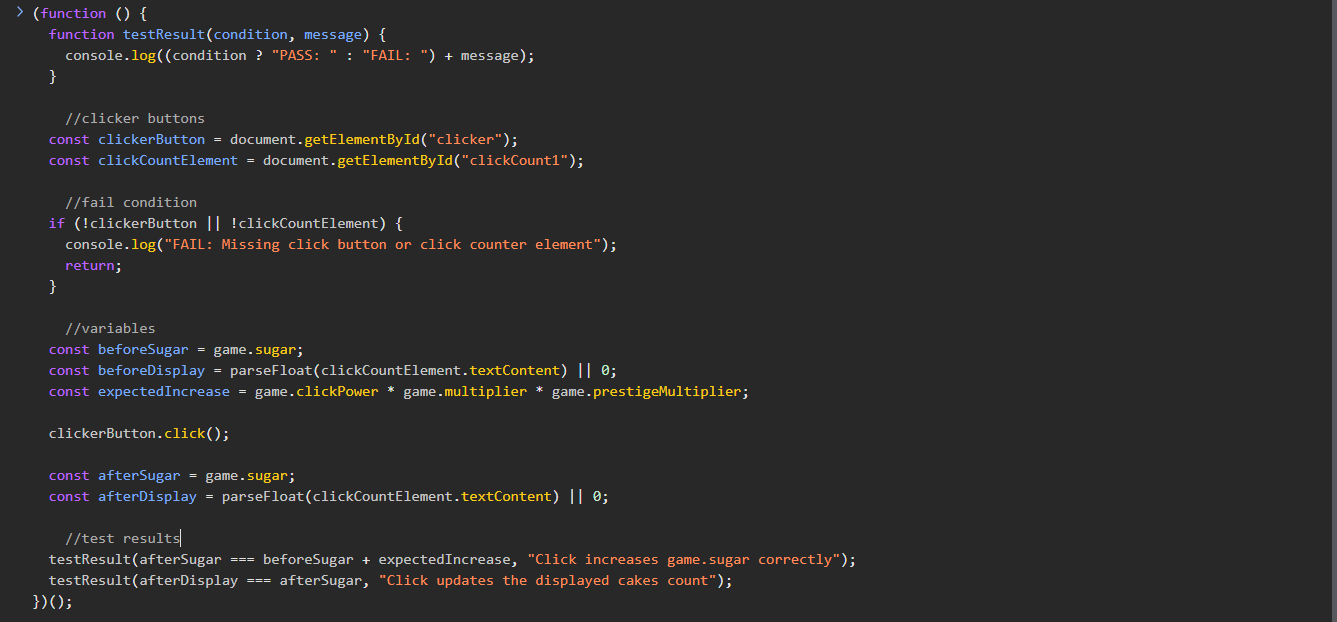
Test code for clicker and UI update

Testing

Click & UI Tests

JavaScript tests verifying click events and UI updates.
Procedures

  • Test case preparation: identified core features (data insertion, deletion, click handling, UI updates), created sample data and logic, and defined clear pass/fail criteria.
  • Test environment setup: confirmed PHP, XAMPP, and SQLite were properly installed and configured, with correct database file paths.
  • Test execution: ran tests via terminal and browser, recorded results, analyzed failures, and iteratively refined application and test code until all tests passed.
  • Test results: documented pass/fail status, root causes of failures, and changes made; included a summary confirming that all core features met their pass criteria.

Results

  • Insert User Data: Three tests executed for the three related tables. All passed when user and associated player data were successfully inserted, confirming correct table structure and associations.
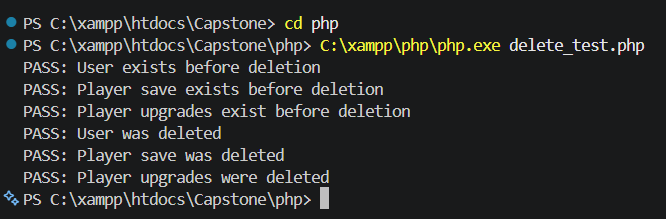
  • Delete User Data: Three tests executed to verify deletion of user and associated records. All passed when data was fully removed from the database.
  • Clicker Event: Test passed when the clicker DOM element was found and the cake count variable increased correctly on click. Failures were traced to missing elements or incorrect bonus application.
  • UI Update: Test passed when the UI correctly displayed the updated cake count on each click. Failures were traced to data mismatches or variable name typos.
Test results for insert and delete operations

Results

Database Tests

Insert and delete user data operations passing.

Test results for clicker and UI update

Results

Click & UI Tests

Clicker event and UI update operations passing.

Deployment

Hosted Web Application

Cloud Host Deployment

I selected Render as my cloud hosting provider because it offers a variety of features that align well with my web application’s needs. Render provides ease of deployment, allowing me to quickly move the application from development to production without complex setup. Its free hosting tier is sufficient for a student project, with paid options available for persistent disk features as the application scales.


Render integrates seamlessly with GitHub, allowing me to connect my repository directly and deploy the application with minimal configuration. This integration also supports automatic redeployment whenever updates are pushed to the repository, ensuring the live application stays up to date. In addition, Render is compatible with SQLite, which is used for my database, making deployment straightforward without requiring database migration or additional configurations.

Docker Configuration

I chose to use Docker containers in my deployment because they provide a consistent environment for my application. Render natively supports Docker-based deployments, and Docker allows me to replicate the same environment for both local development and production, reducing the risk of compatibility issues.


To meet the requirements of my PHP-based application, I used the official PHP 8.3 CLI image as the base and set the working directory to `/app`. I installed the necessary dependencies, such as SQLite and required PHP extensions, to support my database functionality. I also implemented a `.dockerignore` file to exclude unnecessary files from the container image, improving image size and build efficiency. After configuring the Dockerfile, I built the container image using the terminal, allowing Render to deploy the application in a fully configured and consistent environment.

User Guide

Playing the Game (User)

Step-by-step instructions for creating an account and using core features.

  • App Preview: On first open, you’re in preview mode. To start playing, click “Login or Register” at the top of the screen.
  • Login: Returning users can log in by entering their username and password. New users should select the registration link to create an account.
  • Registration: New users can create an account by entering the required information and submitting the form. After registration, you’ll be redirected to the login page.
  • Home Page: After logging in, you’re redirected to the home page. Click the pulsing cake to bake cakes; the cake count increases at the top of the page and in the statistics panel.
  • Generate Player Report: Use the “Generate Player Report” button on the right side of the home screen to view your player information and game statistics.
  • Sell Page: Use the left navigation to open the Sell page, where you can exchange cakes for currency based on a market price that changes every 30 seconds.
  • Upgrades Page: Purchase upgrades to improve progression. Use the search bar to find specific upgrades quickly.
  • Prestiges Page: Reset your progress in exchange for permanent rewards; requirements and bonuses are listed on the page.
  • Leaderboard Page: View the top 10 players across categories such as highest currency, most cakes, and most prestige resets.
  • Settings Page: Update your username, email, and passwords, or permanently delete your account and associated data.

See It Live

Want to try the game yourself?