Featured Project

Game Bug Tracker

A Java web application for submitting game bug reports, tracking their status, and exporting saved issues as XML. Issues are stored in MySQL using JDBC.

Overview

Goal

Create a database-backed issue tracker where game bugs can be reported, reviewed, and followed through to resolution.

Solution

I built a Java web application that saves issues to MySQL. Users can submit a title, description, and severity; view saved reports; change an issue's status; and download the issues as an XML file.

Tech Stack

  • Java 21
  • Jakarta Servlets
  • JSP
  • JDBC
  • MySQL
  • Maven
  • Apache Tomcat
  • HTML and CSS

My Role

I built the application from setup through implementation, including its database connection, data-access methods, servlet routes, JSP interface, input validation, status updates, and XML export.

Key Features

Issue Reporting

  • Submit a title and description
  • Select Low, Medium, or High severity
  • Validate input on the server
  • New issues start as Open

Issue Dashboard

  • View saved issue details
  • See severity and current status
  • See when each issue was created
  • Data persists in MySQL

Status Tracking

  • Open
  • In Progress
  • Resolved
  • Update issues individually

XML Export

  • Download saved issues as XML
  • Generate XML with Java DOM APIs
  • Safely represent special characters

Technical Highlights

  • Used JDBC and MySQL to persist issue data across Tomcat restarts.
  • Used prepared statements for database inserts and status updates.
  • Managed JDBC connections and query resources with try-with-resources.
  • Validated required fields, title length, severity, issue IDs, and statuses on the server.
  • Separated issue data, database operations, request handling, and page rendering across model, DAO, servlet, and JSP layers.
  • Used JSTL output escaping when displaying issue text in the page.
  • Generated the XML export with Java DOM and Transformer APIs.
  • Kept database credentials outside the Java source code using environment variables.

Challenges & Solutions

Challenge

Making sure the app could connect to MySQL and that the JDBC driver was available when the application ran on Tomcat.

Solution

Added MySQL Connector/J as a Maven dependency, configured the application to use the driver, and kept the database credentials in Tomcat's environment settings rather than in the source code.

Challenge

Ensuring that changing an issue's status updates only the selected database record and rejects invalid values.

Solution

Validated the submitted issue ID and status on the server, then used a prepared SQL update with the issue ID in the WHERE clause.

What I Learned

  • How to build and run a Maven-based Java web application on Tomcat.
  • How servlet routes process form submissions and render responses.
  • How to connect Java applications to MySQL using JDBC.
  • How to use prepared statements and validate user input on the server.
  • How to organize a web application with models, DAOs, servlets, and JSP pages.
  • How to generate downloadable XML from database records using Java's XML APIs.

Screenshots

A look at the issue dashboard and its saved reports.

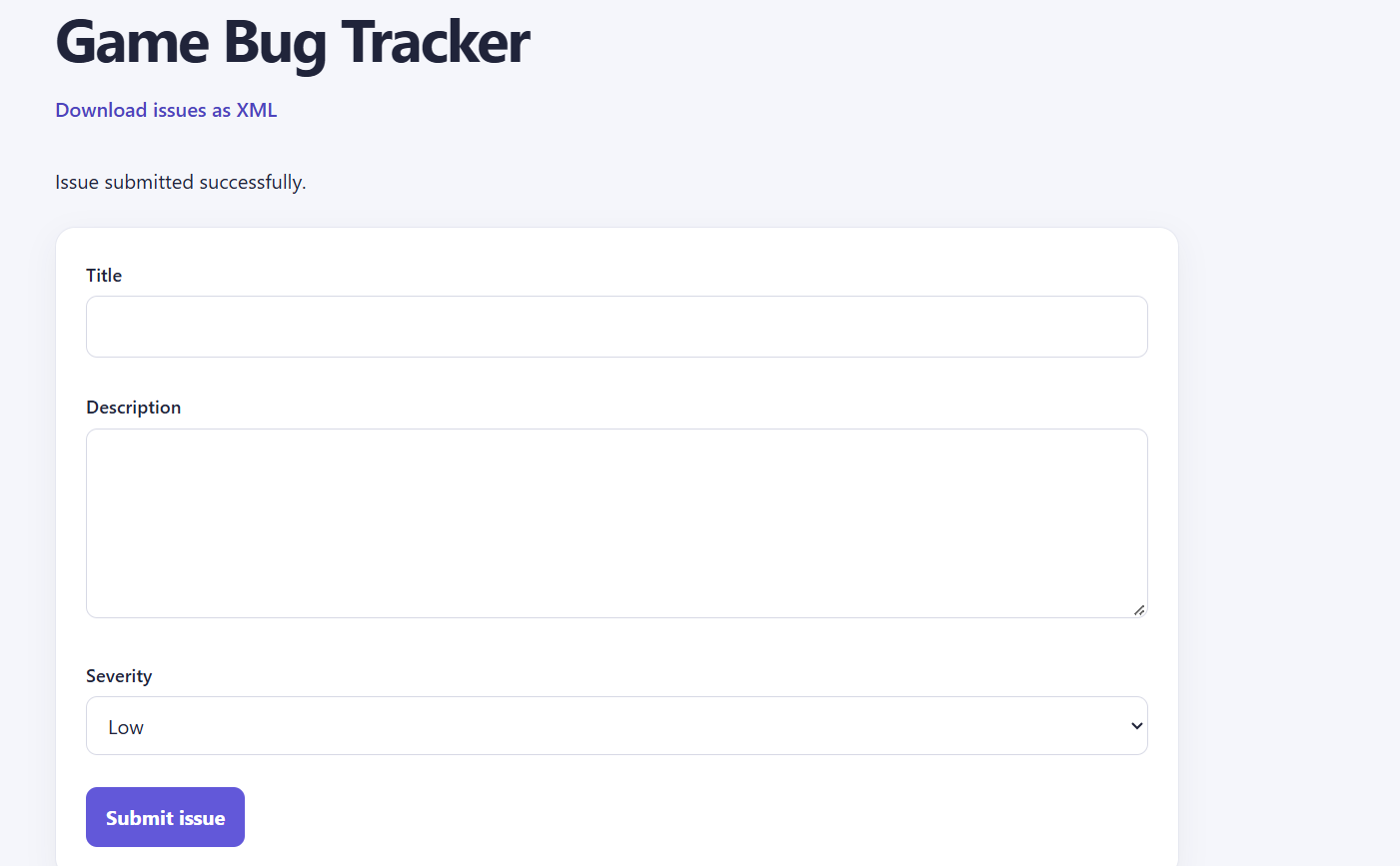
Game Bug Tracker form for entering an issue title, description, and severity

Issue Reporting

Submit a Bug Report

The form collects a bug title, description, and severity before saving the report to the issue tracker.
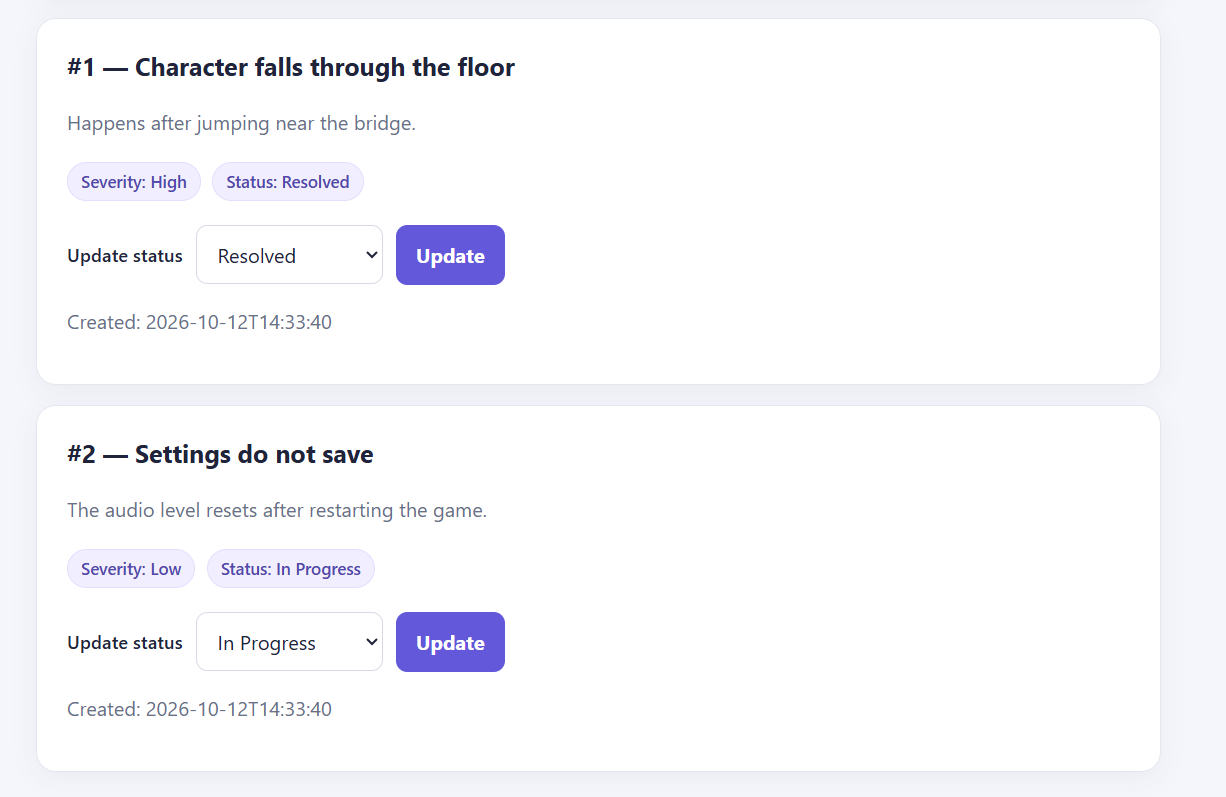
Game Bug Tracker dashboard showing the issue submission form and saved issues

Issue Dashboard

Submit and Track Issues

The dashboard displays saved bug reports and provides controls for submitting issues and updating their status.

View the Source

The application runs locally with MySQL and Apache Tomcat. Visit the GitHub repository for the source code and setup instructions.